Features

Software feature overview

From adding accounts and bulk trading through cross-platform copy trading to event risk control and analytics — click any screenshot to enlarge.

This page is an overview. Detailed written tutorials are currently available on the Chinese site; an English version is planned.

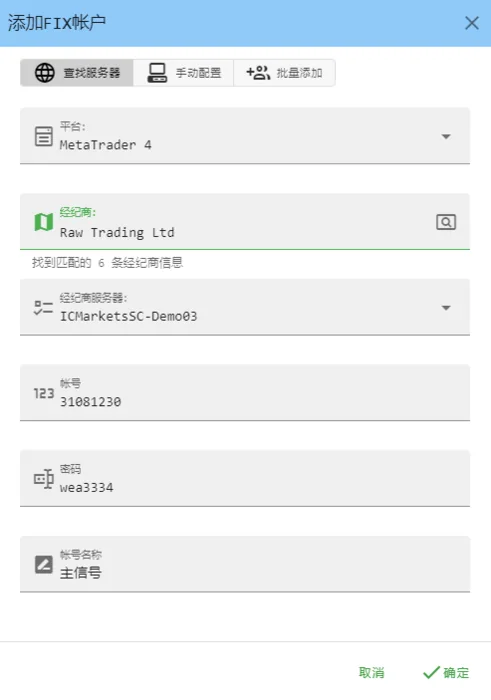
Add FIX account: pick platform, broker and server, then enter credentials
Step 1

Adding accounts

Two ways to connect — the difference is whether an MT terminal needs to be open.

  • API account (FIX mode, recommended) — connects through the API. No MT4/MT5 terminal needs to be open, and accounts can be added in bulk.
  • Terminal account — uses an EA loaded into the terminal. Requires the matching MT4/MT5 terminal to be open.

Fill in the platform, server, account number, password and a nickname. Searching the broker list means you never type a server address or handle server files.
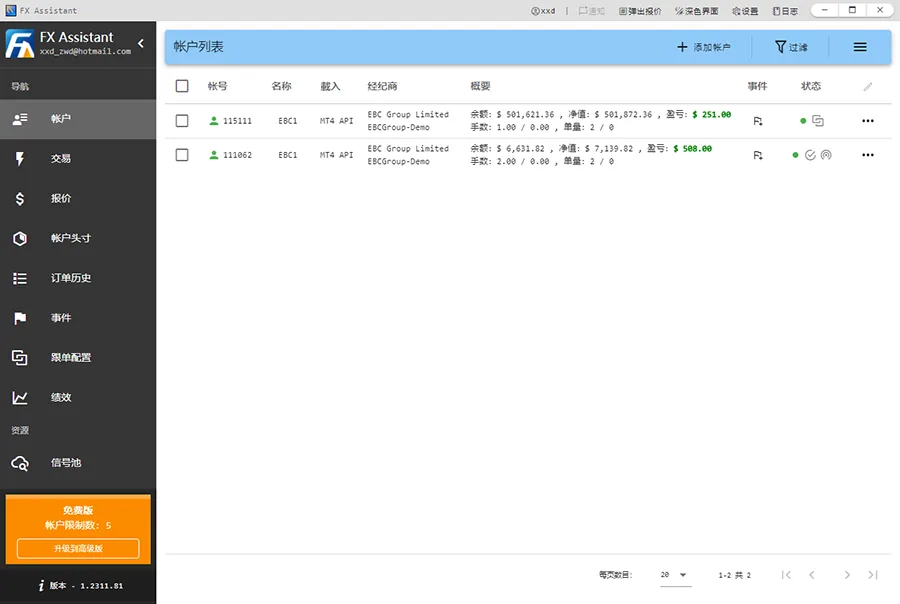
Account list with platform, balance, equity, lots and online status
Step 2

Account list

See platform, broker, balance, equity, lots, P/L and online status for every account at a glance.

  • Columns show account number, nickname, platform, broker, summary, events and status
  • Lot and order counts read as current / pending
  • Green figures are floating profit, red are floating loss

The right-click menu handles account-level event risk control, password changes, disconnecting and deleting accounts — without opening a terminal.

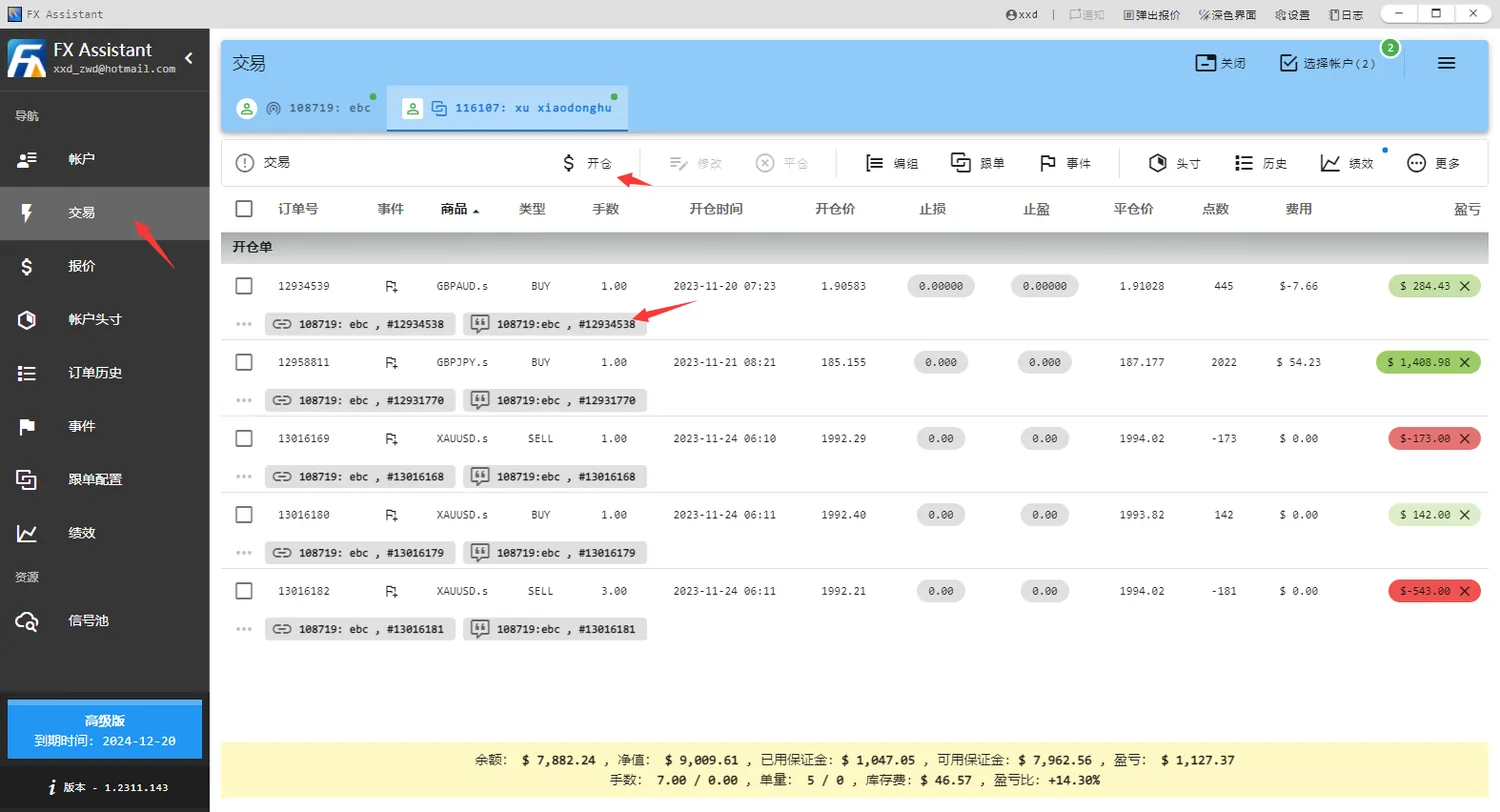
Trading list: open, modify, close, group, replenish and set events
Step 3

Trading list

Open, modify and close orders across accounts without opening MT4/MT5.

  • Set order-level event risk control
  • Partial close and reduce, including synced partial close on followers
  • One-click and repeated order replenishment
  • Batch take-profit/stop-loss, grouping and position aggregation

Select several accounts at the top and the list becomes a merged view — every action applies across the whole selection.

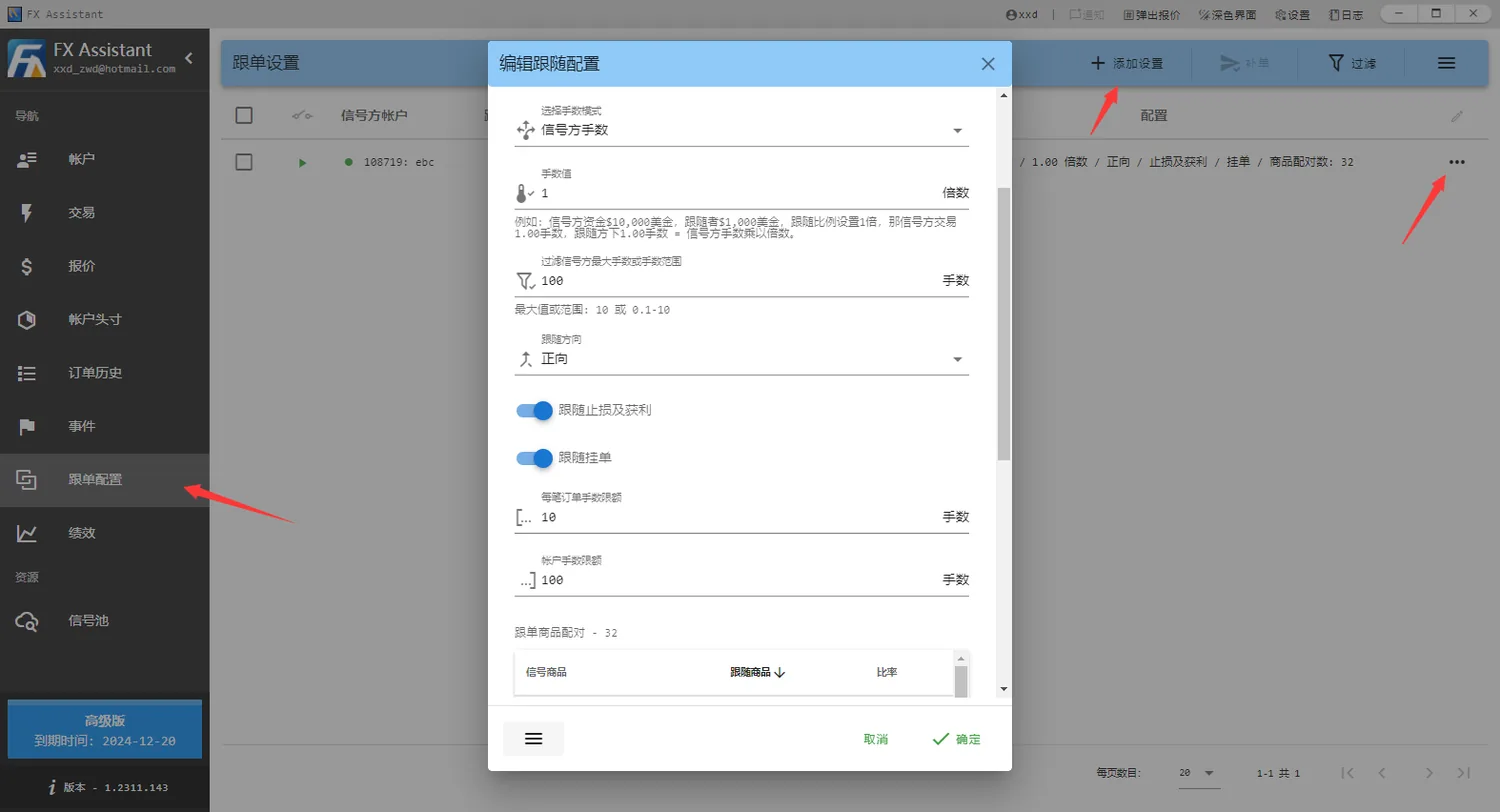
Copy configuration: lot mode, multiplier, direction, limits and symbol mapping
Step 4

Copy trading setup

Pair a signal account with follower accounts by balance ratio, signal lot size or fixed lots.

  • Forward or reverse copying
  • Choose independently whether to copy SL/TP and pending orders
  • Cap lots per order and per account
  • A symbol mapping table solves different contract sizes across platforms

Example: signal balance 50,000 and follower 5,000 with the ratio set to 1× — when the signal opens 1 lot, the follower opens 0.1 lot.

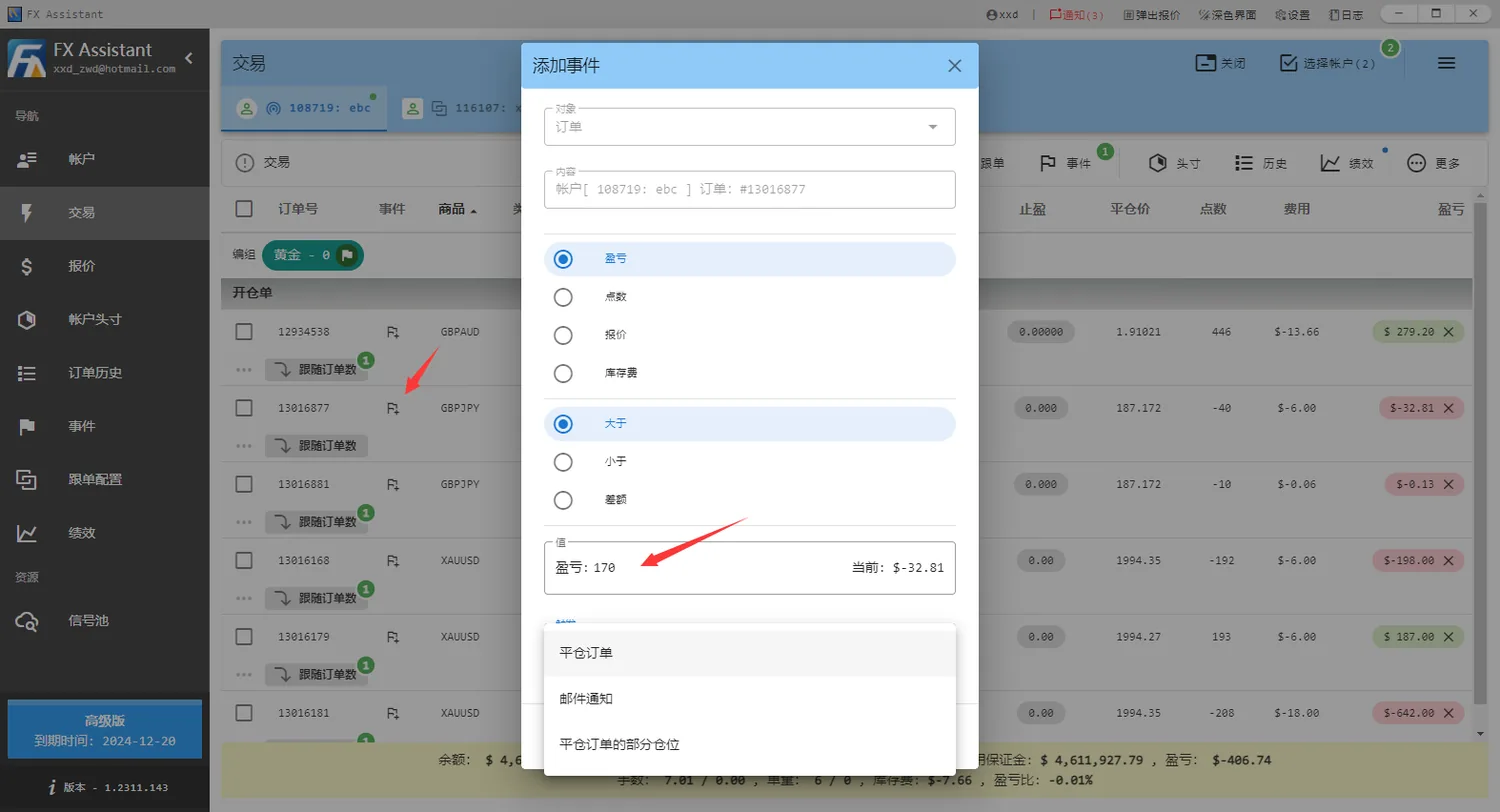
Add event: trigger on P/L, points, quote or swap, with a threshold and an action
Step 5

Event risk control

Account, order group, order and position events trigger on P/L, points, quotes or swap.

  • Set profit or loss conditions on an account or a specific position
  • Actions: close orders, close part of the position, or send an email
  • Email alerts on disconnects and quote warnings

Example: when profit reaches 170 USD, close every order in the GBPJPY short position.

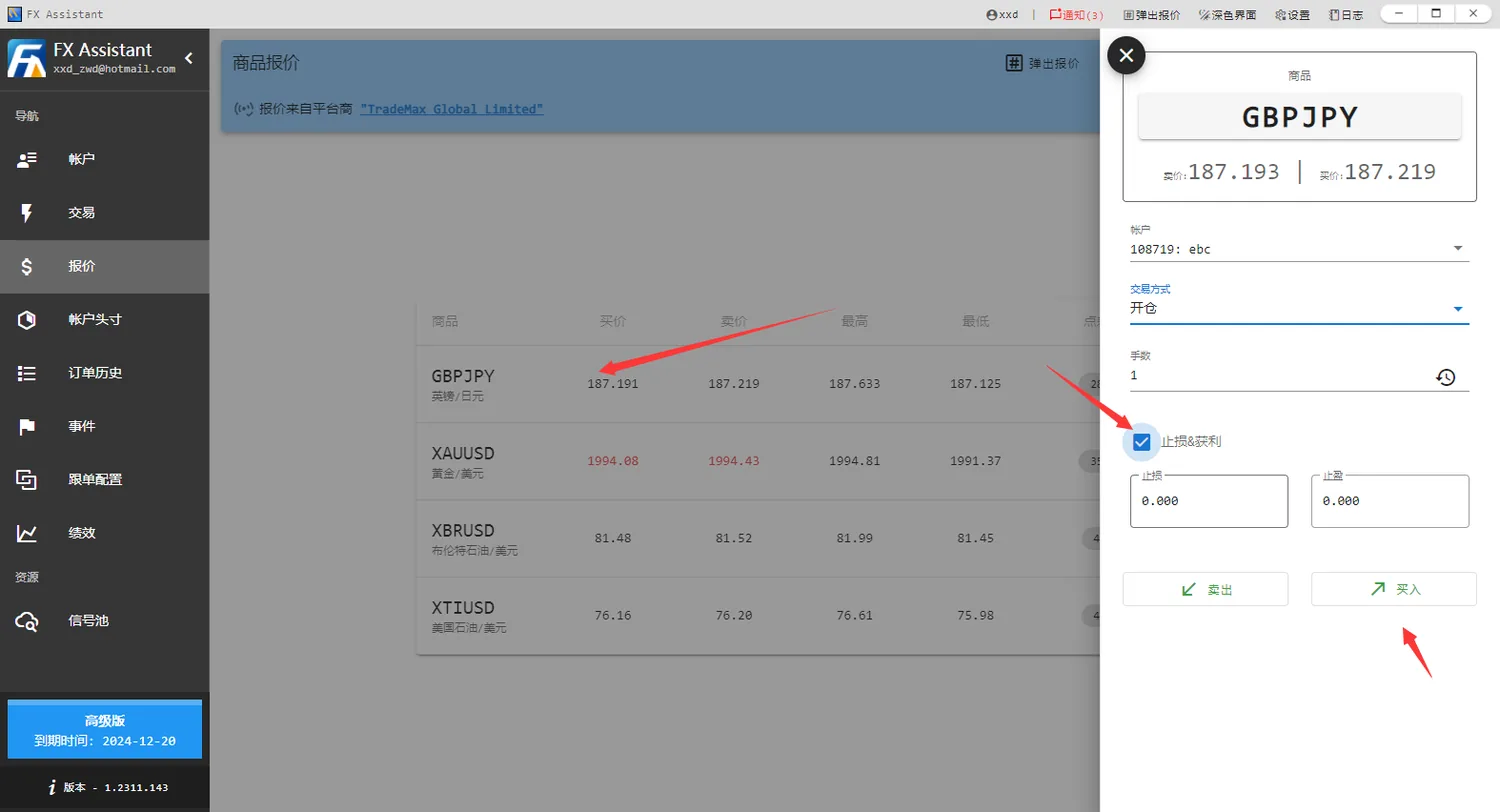
Quote ordering: choose symbol, order type and lots, then set SL/TP
Step 6

Market quotes and ordering

Third-party quotes let you open positions and place pending orders without MT4/MT5.

  • Quote table shows symbol, bid, ask, high and low
  • Double-click a symbol to open the order window
  • Choose open or pending, set lots, and tick SL/TP to fill prices

Quotes come in two window styles: a pop-up on demand, or a fixed panel docked to the right for continuous monitoring.

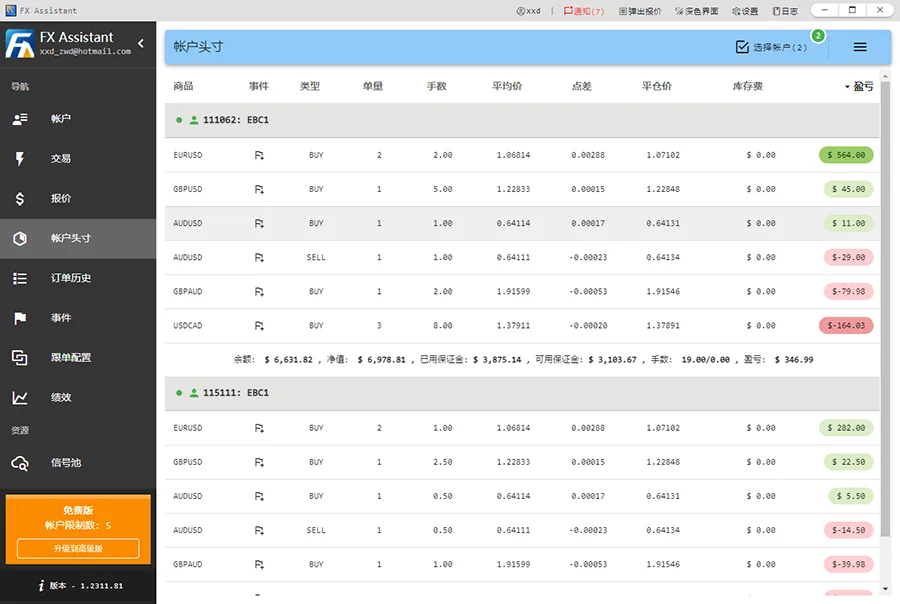
Positions: lots, average price, spread, swap and P/L aggregated per symbol
Step 7

Positions

Aggregate every order for a symbol into one row with average price and total P/L.

  • Per symbol: order count, lots, average price, spread, close price, swap and P/L
  • Per account totals: balance, equity, used and free margin, lots and P/L
  • Set position-level events or close the whole position in one action

Average price is the lot-weighted mean entry price, which is what you need when scaling into a position.

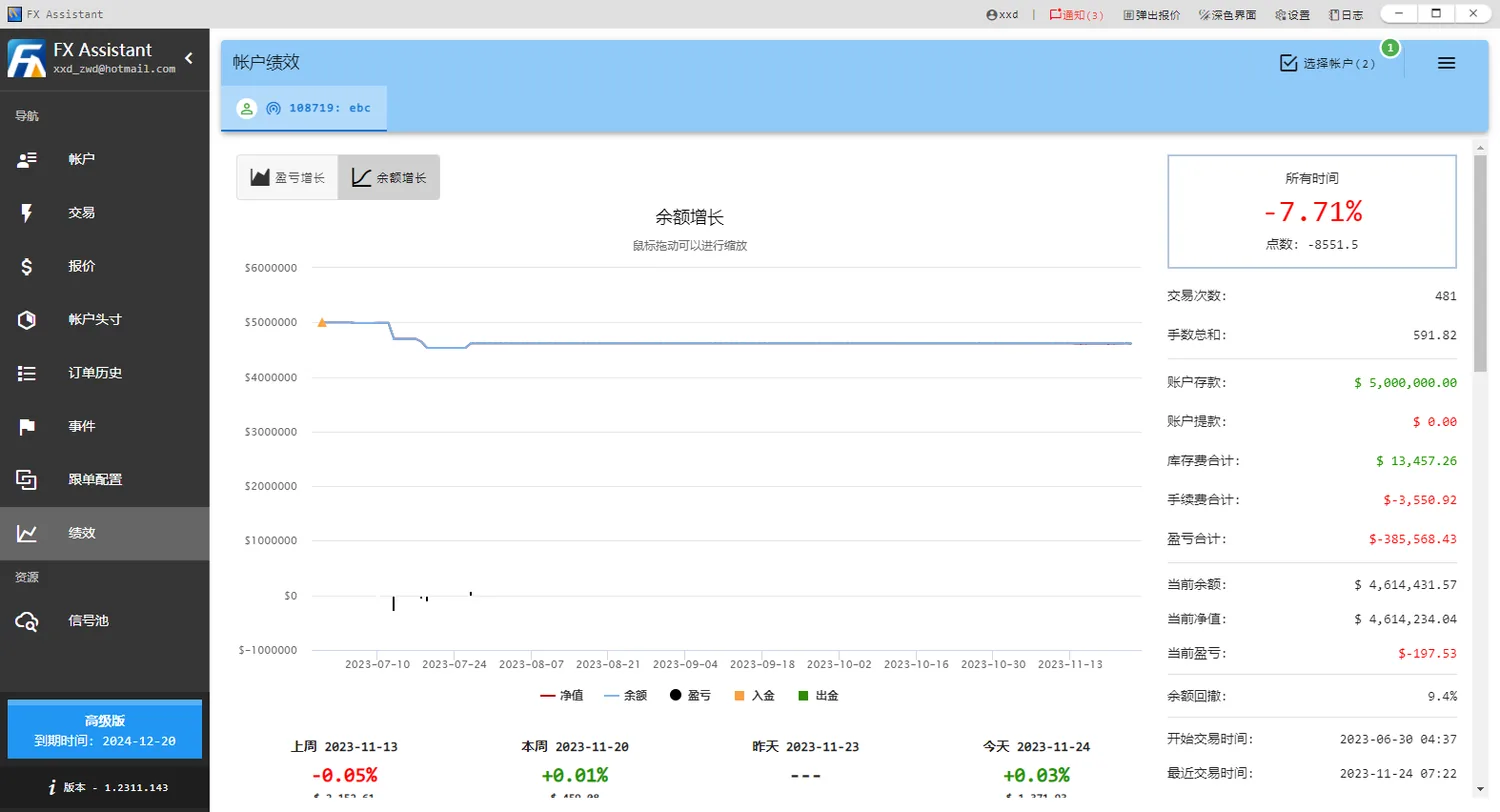
Performance: profit and balance curves with a full set of statistics
Step 8

Performance analytics

Turn trade history into equity and balance curves plus a full set of statistics.

  • Profit curve isolates trading results from deposits and withdrawals
  • Balance curve reflects the actual movement of funds
  • Trade count, total lots, deposits, withdrawals, swap, commission and P/L
  • Current balance, equity, P/L and balance drawdown

The bottom row compares last week, this week, yesterday and today, so you can see whether recent performance continues or reverses.

Ready to get started?

The free plan manages 5 accounts with no time limit.